
Frequently asked questions
Quick answers about My Money, Shared groups, Teams, plans, privacy and more, with real-life examples. Search, or pick a topic.
Getting started
What is VioLedger?
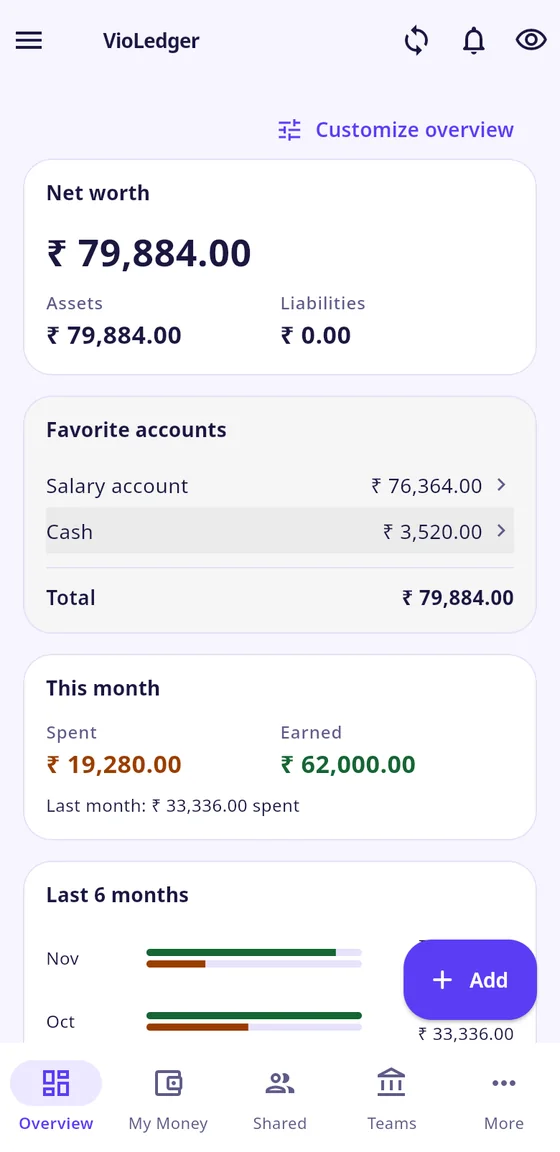
VioLedger keeps three kinds of money in one app: your own private money (My Money), money you split with friends (Shared), and money a group holds together (Teams).
Who is VioLedger for?
Anyone who wants to track their own spending, split costs with friends or flatmates, or keep the books of a club, association, family fund or small business. You can use just one part and ignore the rest.
How do I download and install VioLedger?
Anyone can install it. Open Google Play on your Android phone, search for VioLedger, tap Install, then open it and create your account. The Download page on our website has the same link. You can also skip the install and use VioLedger in a browser at app.violedger.com.
Where can I use VioLedger?
On an Android phone (the Google Play app) and in a web browser at app.violedger.com on a laptop or desktop. The same account and the same data work on both.
Is there an iPhone app?
Not yet. On an iPhone you can use VioLedger in your browser at app.violedger.com.
Do I need an account?
Yes. You sign in with Google, or with an email address and a password. Your data is saved to your account, so it is there on a new phone.
What do I do first?
Add your first account (for example your bank or cash), enter its starting balance, then add an expense. It takes about two minutes. The guide "Add your first account" shows each tap.
Which languages does VioLedger support?
English, Hindi and Malayalam. Change it in “More”, “App preferences”, “Language”.
Is VioLedger free?
Yes. The Free plan has no time limit and has room for everyday use. Paid plans give you more room and extra features.
My Money, your private book
Who can see my My Money?
Only you. Not a team you belong to, not a friend, not a group administrator.
How do I add an expense, income or transfer?
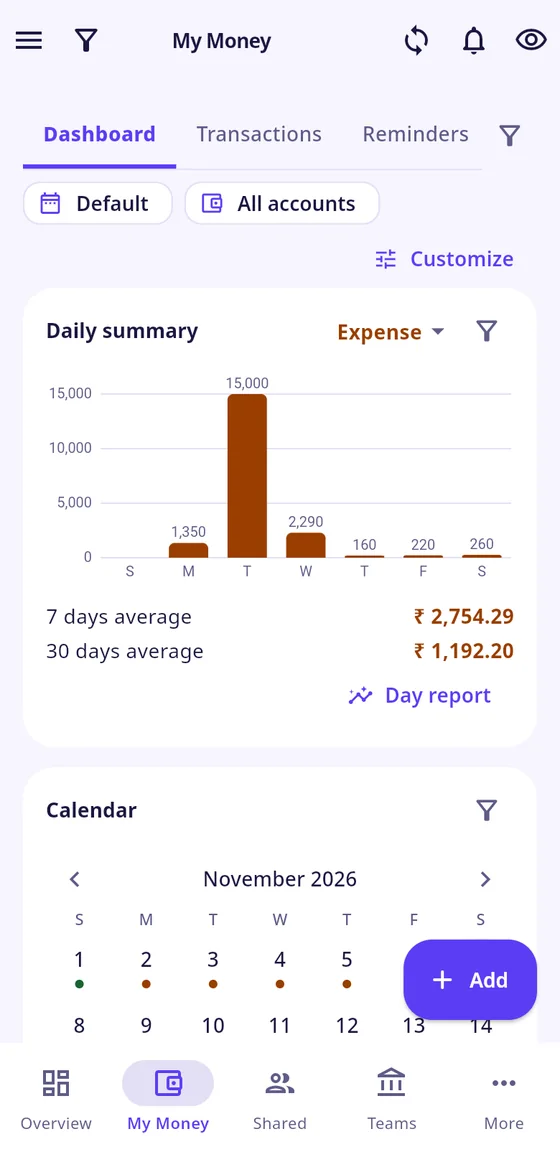
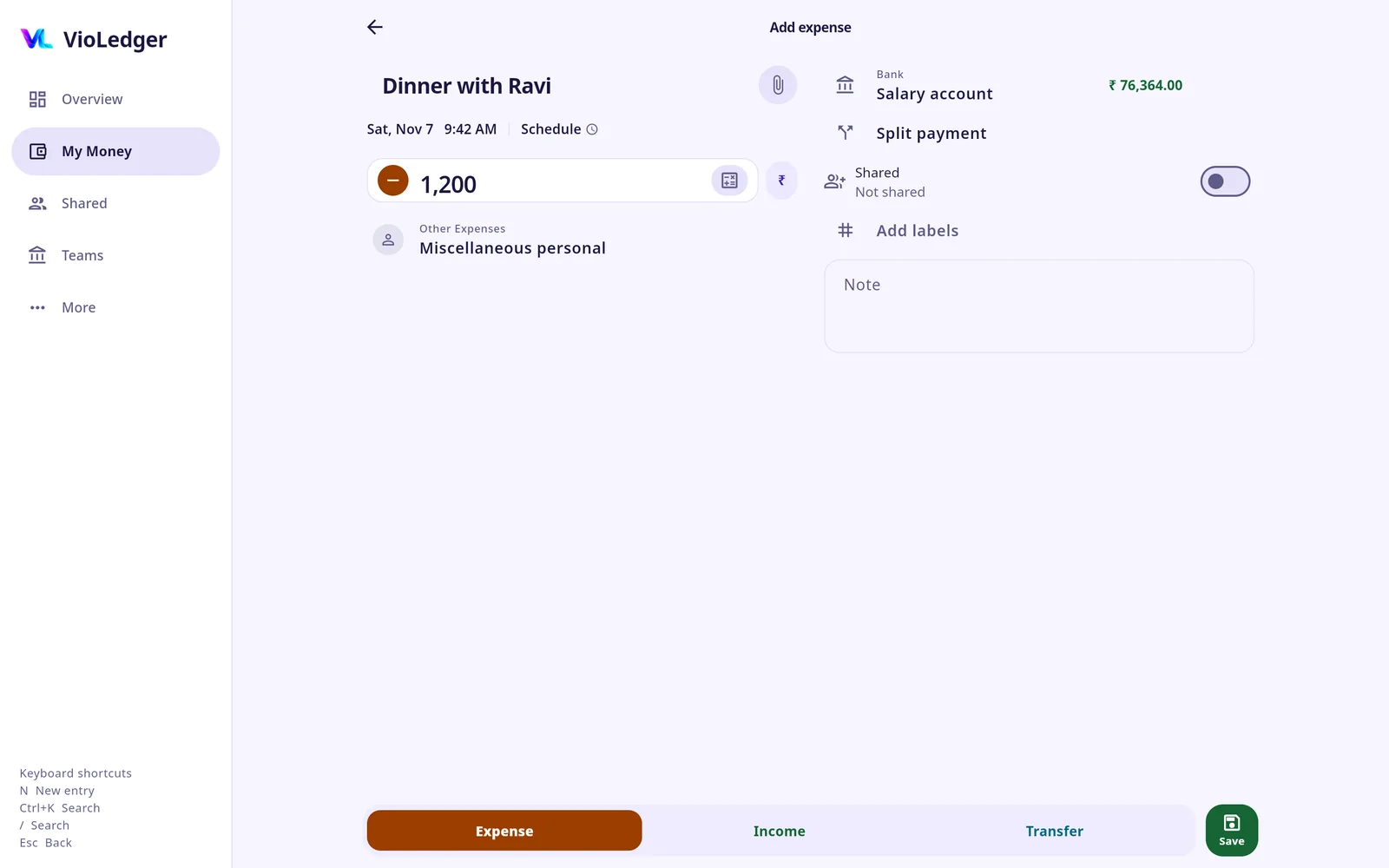
Tap “Add”, choose Expense, Income or Transfer, enter the amount, a description, the category and the account, then save.
What is the difference between an expense, income and a transfer?
An expense is money you spend. Income is money you receive. A transfer moves money between your own accounts (for example bank to cash), so it is not spending and not income.
Example
- Situation
- Withdrawing ₹2,000 from the ATM.
- In VioLedger
- A transfer from your bank account to your cash account.
- You see
- Your total money stays the same and your spending does not go up.
Is the opening balance income?
No. The starting balance of an account is what you already had. It is not counted as income, so it does not inflate your income reports.
I deleted an entry by mistake. Can I get it back?
Yes. Delete moves the entry to Trash. Tap “Undo” to bring it back exactly as it was.
Does it work without internet?
On the phone, yes. An entry is saved on the phone first and sent when you are online again. In the browser you need to be online to save.
How do I track a credit card?
Add an account of the type “Credit Card” with its limit, statement closing day and payment due day. Record purchases as expenses on the card. Pay the card with a transfer from your bank account.
Example
- Situation
- You buy groceries for ₹1,200 on your credit card, and later pay the card ₹1,200 from your bank.
- In VioLedger
- The purchase is an expense on the card, and the payment is a transfer from the bank to the card.
- You see
- ₹1,200 counts as spending once. The payment clears the card without a second expense.
Why does paying my credit card not count as spending again?
Because the spending already happened when you used the card. The payment only moves money from your bank to the card.
How do I repeat a bill every month?
On the entry screen tap “Schedule” and choose Once, Daily, Weekly, Monthly or Annually. Choose whether it posts automatically or waits for you to review it.
Example
- Situation
- Rent of ₹8,000 is due on the 5th of every month.
- In VioLedger
- A Monthly schedule with a start date and an optional end date, set to “Review before posting”.
- You see
- On the 5th a due entry waits for your “Confirm”. If you skip a date, nothing is posted for it.
How do I set a budget?
Open the My Money menu, then “Budgets”, then “Add budget”. Pick a category, an amount and a period (week, month or year). The screen shows what is spent and what is left. Alerts at 80% and 100% are available in “Section settings”, “Money helpers”, and are off by default.
What are labels and how are they different from categories?
A category says what kind of spending it is (food, fuel). A label says what it belongs to (a trip, a vehicle). An entry has one category and can carry labels.
Example
- Situation
- Fuel, repairs and insurance for your car "Vento".
- In VioLedger
- Put the label Vento on each of those entries.
- You see
- Filter “Reports” by that label to see all the car costs across categories and accounts.
Can I import my old data, or export it?
You can import a CSV file (from the Plus plan) and export to CSV, Excel or PDF (Pro and Max). Open “More”, “Data & sync”.
From other apps, Splitwise is supported today (see the question on moving your history from Splitwise). Other apps will be added soon.
Shared groups and people
What is Shared?
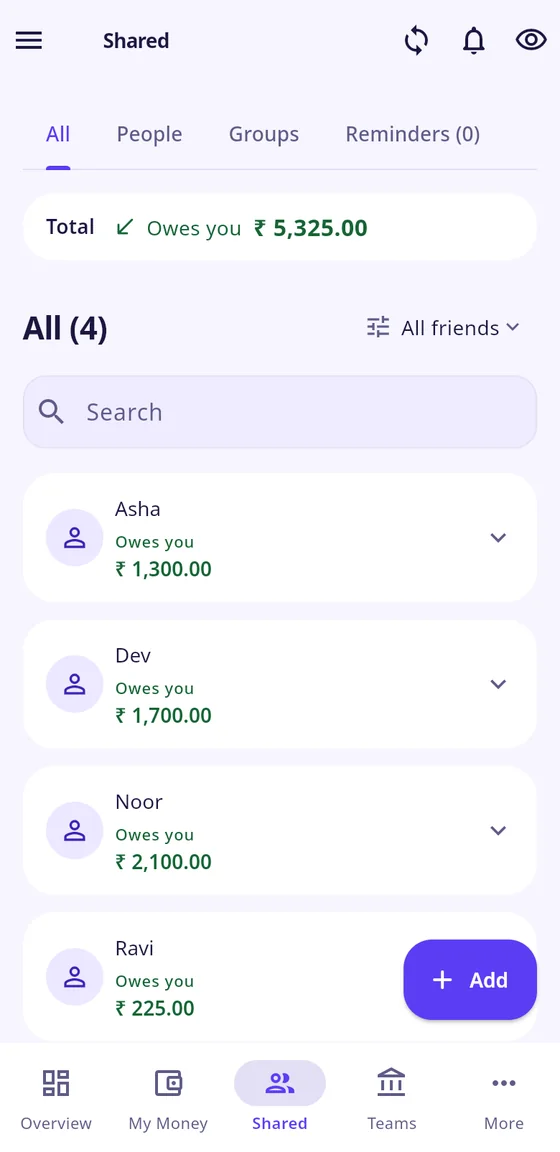
Shared is money you split with one person or a group. Everyone in it sees the same entries and the same balances.
When is a Shared group useful?
Use Shared when several people spend and you want to settle up later without arguing about who owes what. Typical cases:
- Flatmates: rent, groceries, electricity.
- A trip with friends: one person pays the hotel, another the fuel.
- A couple's joint costs: household bills split by income.
- A dinner: where some people eat for two.
- A one-off event: a gift, a taxi, a party.
The key sign: nobody holds a common pool of money. People pay as they go and square up afterwards.
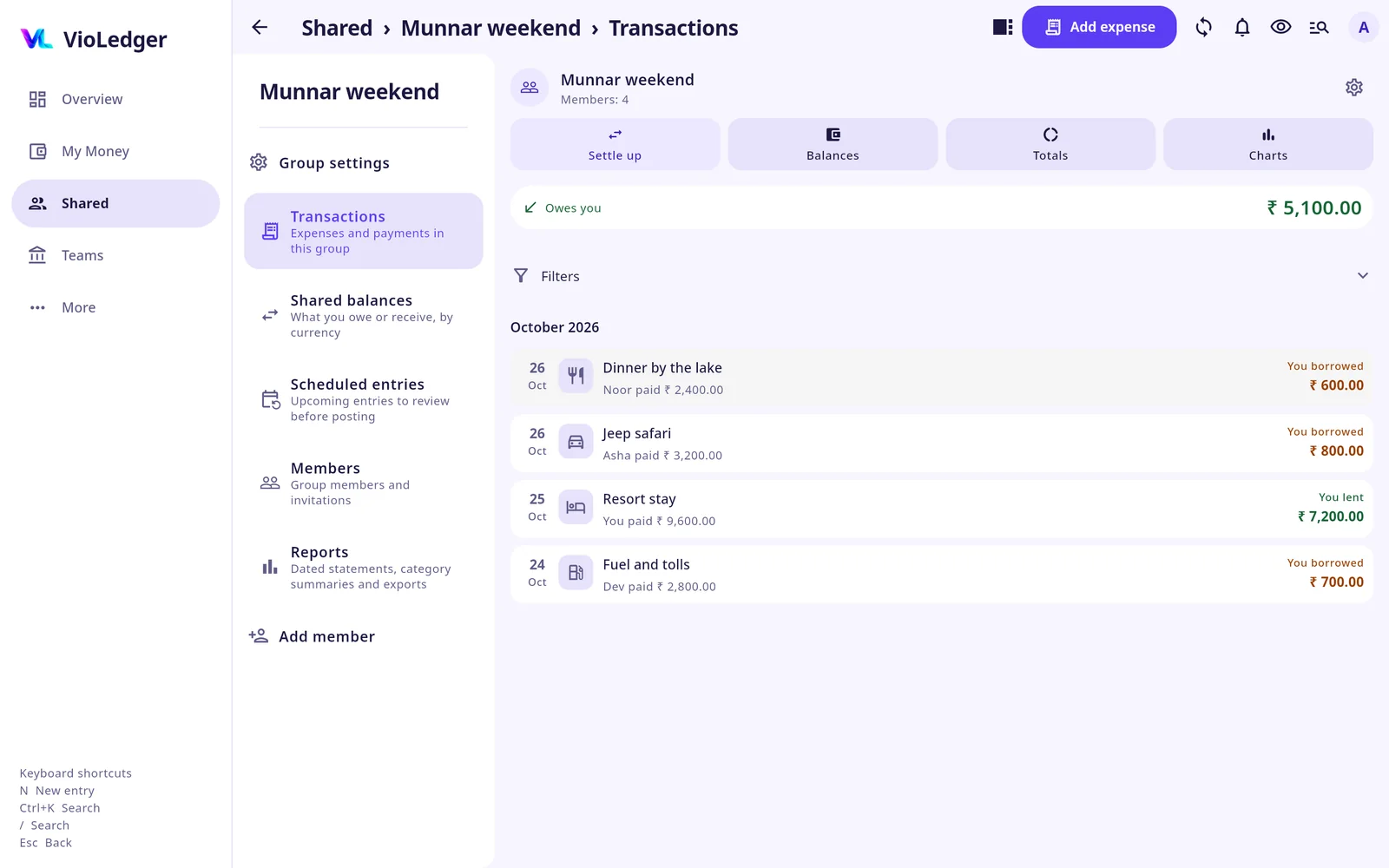
Scenario: flatmates sharing rent and bills
Example
- Situation
- Asha, Ben and Chitra share a flat. Asha buys groceries for ₹3,000. Ben pays the electricity bill of ₹1,800. Everything is split equally three ways.
- In VioLedger
- Create a group "Flat 4B". Asha adds the groceries with “Paid by” Asha, split equally. Ben adds the electricity with “Paid by” Ben, split equally.
- You see
- Each person's share is ₹1,000 for groceries and ₹600 for electricity, ₹1,600 in all. Asha is owed ₹1,400, Ben is owed ₹200, and Chitra owes ₹1,600 (₹1,400 to Asha and ₹200 to Ben). Chitra taps “Settle up” and records her payments, and the balances go to zero.
Scenario: a trip with friends
Example
- Situation
- Four friends go on a trip. Dev pays the hotel, ₹12,000. Eli pays fuel, ₹3,200. Fay pays food, ₹5,600. Gita pays nothing at the time. Everything is split equally.
- In VioLedger
- One group "Goa trip", with each expense added by the person who paid.
- You see
- The total is ₹20,800 and each share is ₹5,200. Dev is owed ₹6,800 and Fay ₹400. Eli owes ₹2,000 and Gita ₹5,200. “Simplify group debts” suggests three payments: Gita pays Dev ₹5,200, Eli pays Dev ₹1,600, and Eli pays Fay ₹400. Nobody's net balance changes.
Scenario: splitting a dinner by shares
Example
- Situation
- Two couples and one friend have dinner. The bill is ₹3,000. Each couple counts as 2 shares and the friend as 1.
- In VioLedger
- “Add expense”, “Paid by” you, split “By shares”: 2, 2 and 1.
- You see
- 5 shares, ₹600 each. Each couple owes ₹1,200 and the friend owes ₹600. The shares always add up to the total.
Scenario: unequal amounts and percentages
Example
- Situation
- A taxi costs ₹600, and Asha's part is ₹400 and Ben's ₹200. Separately, a couple split a ₹2,000 electricity bill by income, 60% and 40%.
- In VioLedger
- The taxi as an unequal split (Asha ₹400, Ben ₹200). The bill as “By percentages”, 60 and 40.
- You see
- ₹400 and ₹200 for the taxi, and ₹1,200 and ₹800 for the bill.
Scenario: one person had something extra
Example
- Situation
- Three friends order a ₹1,000 pizza. Ben also had a ₹100 drink that only he should pay for.
- In VioLedger
- “Add expense”, split “By adjustment”, and enter ₹100 against Ben.
- You see
- The ₹100 is added to Ben first and the remaining ₹900 is split equally, ₹300 each. Ben's share is ₹400, and Asha's and Chitra's are ₹300 each. The shares add up to ₹1,000.
How do I add a friend who is not on VioLedger?
Open the Shared menu, tap “Add person”, and type their name, email or phone number. If they are not on VioLedger, tap “Add and invite”. They get a link to the Play Store page, or they can open the invitation in a browser.
Can people find my email or phone number?
No. Searching by name shows only a name and a hidden hint such as r***@gmail.com. Full emails and phone numbers are never shown.
How do I settle up?
Tap “Settle up” on the person or the group, check who paid, who was paid and the amount, then save. A payment only clears what is owed. It adds no spending or income.
Example
- Situation
- You owe Alex ₹500 and pay back ₹200.
- In VioLedger
- Record a ₹200 payment.
- You see
- You now owe ₹300. The shared expenses stay unchanged.
Can I pay with UPI from VioLedger?
You can open your UPI app from “Settle up” with “Pay with a UPI app”. VioLedger cannot see whether the UPI payment went through, so when you come back, tap “I have paid, record it”.
Can I remind someone who owes me?
Yes. On a person who owes you tap “Remind”. Send a notice inside VioLedger, or send a reminder by WhatsApp or email. A reminder never sends itself and never changes a balance. You review it and send it.
Who can change a shared entry?
By default only the people in that entry. The group administrator can change this to any member in “Group settings”, “Who can change entries”. Everyone in an entry is told when it changes.
Teams
What is a Team?
A Team is the shared books of a group that holds money together: a club, an association, a family fund or a small business. Everyone in it is a member, and what they can see and do follows their role.
When is a Team useful?
Use a Team when one group holds a common pool of money and people need to see where it came from and where it went. Typical cases:
- A residents' or apartment association collecting monthly fees.
- A temple, church, mosque or festival committee collecting donations and paying vendors.
- A college club or sports team collecting fees and repaying members who paid for things.
- A family fund that several people pay into.
- An office collection, such as a farewell gift or a team lunch kitty.
- A small shop or business where staff add expenses and the owner approves.
The key sign: somebody holds money for the group, and the group needs to see the records.
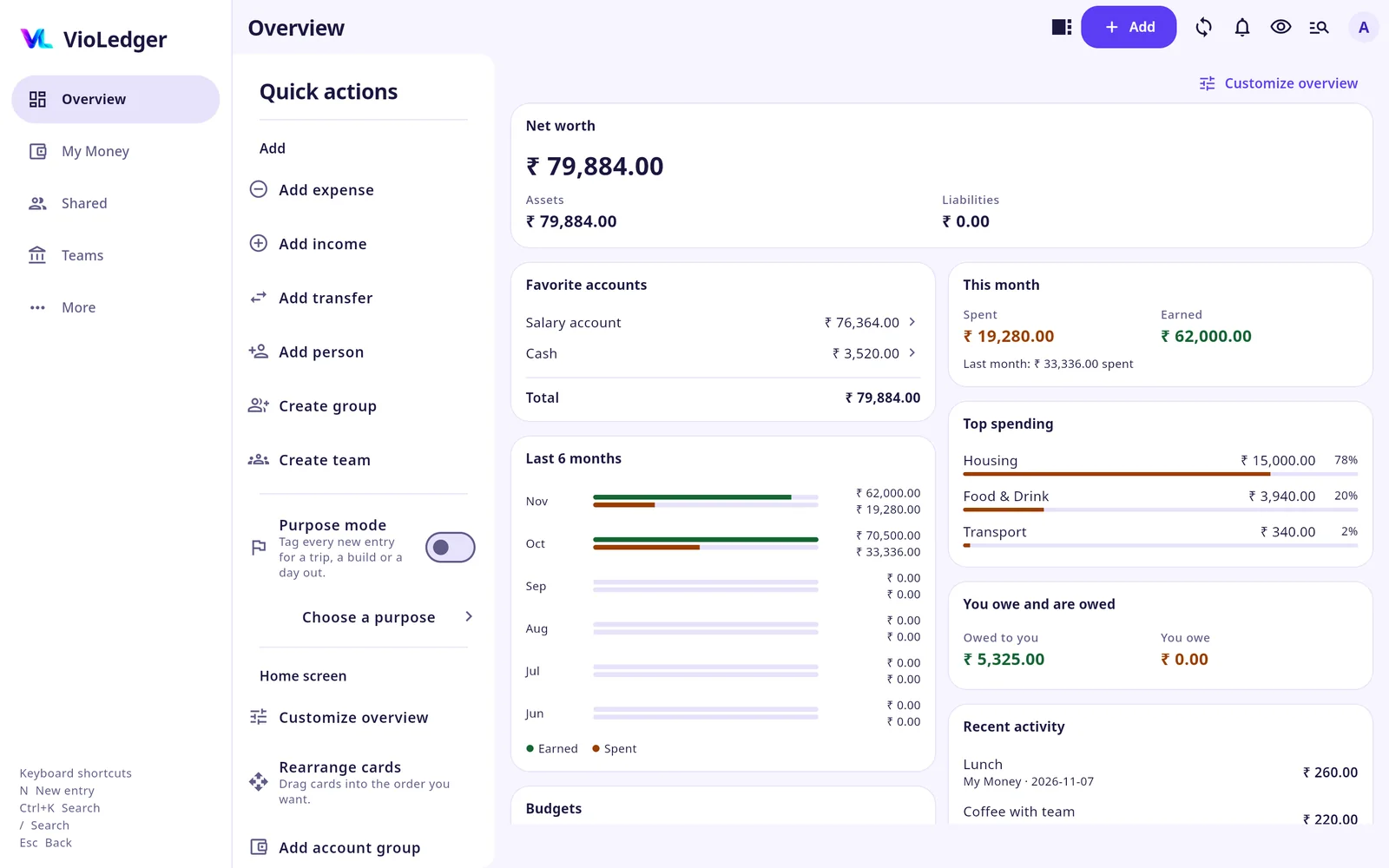
Scenario: an apartment owners' association
Example
- Situation
- 24 flats pay ₹1,500 a month for maintenance. Ben is the Treasurer. Priya is the Secretary. This month 20 flats pay.
- In VioLedger
- The Treasurer opens “Contributions” and taps “Add collection” for ₹1,500 per flat. Each owner pays by cash, bank or UPI and taps “Submit payment reference”. Ben reviews it and taps “Accept” or “Reject”.
- You see
- The collection expects ₹36,000. After 20 accepted payments, ₹30,000 is recorded as income and ₹6,000 is still due. A due is an expected amount, not income, until the receipt is posted.
- Each flat pays ₹1,500 and submits the payment reference
- The Treasurer reviews and accepts
- 20 accepted: ₹30,000 income, ₹6,000 still due
Scenario: paying the electrician ₹4,200
Example
- Situation
- The association has ₹30,000 and needs to pay an electrician. Priya, the Secretary, adds the expense.
- In VioLedger
- Priya taps “Add transaction” and “Submit for approval”. Ben, the Treasurer, opens “Approvals” and taps “Approve”, choosing the account the money came from.
- You see
- Until approval, the available balance stays ₹30,000 and the expected balance shows ₹25,800. After approval, the available balance becomes ₹25,800. Nobody approves their own entry unless the team allows it.
Scenario: a festival committee collecting cash
Example
- Situation
- A temple festival. Ravi collects ₹18,500 in cash at the stalls over three days. The committee also has a bank account.
- In VioLedger
- The team names Ravi as the holder of a cash account, using “Add cash account for this member”. Ravi opens it and taps “Confirm what I hold”, so the team sees the date. At the end he hands over the cash with a Transfer from his cash account to the bank account, using “Move full balance”.
- You see
- The team total never changes during the handover. A holder label and a confirmation change no balance. When the festival is over, the Treasurer can “Close the books” to a date, so nothing on or before it can be changed.
- Ravi collects ₹18,500 in cash
- Ravi confirms what he holds
- Transfer to the bank account
Scenario: a club member pays out of pocket
Example
- Situation
- Maya, a club member, pays ₹3,000 for the ground booking from her own bank account.
- In VioLedger
- Maya opens “Reimbursements”, taps “Submit reimbursement claim” and picks the personal account that paid (one that has the Teams scope). The Treasurer taps “Accept” or “Reject”.
- You see
- The team balance changes only after acceptance. If the claim is rejected, nothing moves.
Scenario: a family fund
Example
- Situation
- Six siblings each pay ₹5,000 a month into a fund for their parents' medical costs. Dev is the Treasurer. Some members do not need to see each other's amounts.
- In VioLedger
- Dev adds a Collection of ₹5,000 for each member. In “Roles and access” he switches off “Members see each account's amount”, so members see only the team total.
- You see
- The fund expects ₹30,000 a month. Members see the entries and the total, not each account's amount. Hiding amounts is a display choice, not a lock, and reports and exports still follow roles.
Scenario: a small shop with staff
Example
- Situation
- A shop owner, Suresh, wants staff to record daily expenses without approving their own.
- In VioLedger
- Suresh creates a Team and gives staff a role of their own, for example "Sales staff", with only “Add entries for approval” and “See transactions”. He holds the Treasurer role, which can approve.
- You see
- Staff entries wait in “Approvals” and do not touch the balance until Suresh approves them.
What is the difference between a Team and a Shared group?
In a Shared group everyone pays as they go and settles up later, and there is no common pool. In a Team, a group holds money together and has roles (President, Secretary, Treasurer), approvals, dues and a close-the-books step. A Shared group has an administrator and members only. It has no President or Treasurer.
What roles does a Team have?
Built in: President, Secretary, Treasurer, Executive and Member. The person who creates the team is the Administrator. You can also make your own roles and choose what each can do, for example only add entries, or only see reports.
In short: a Member can add entries for approval and see transactions. The Treasurer can add entries directly, approve, correct any entry and export. The President and Secretary manage members and accounts.
Who can see the team's balances?
By default members can see the balances and each account's amount. The Administrator can switch either off in “Roles and access”.
Can I give a team money from My Money?
Yes, for a cash, bank or wallet account that has only its opening balance. Open the account, tap “Move to team”, choose the team and tap “Move”. The team gets the account with that opening balance, and in My Money it is corrected to zero and archived. A My Money account with the Teams scope is different: the team gets its own account at zero, and only the name and type are shared.
How do I hand over the Treasurer role?
Open “Members”, tap the member and choose “Treasurer handover”. The other person must accept. Until then the current Treasurer keeps the role.
Can I stop old entries from being changed?
Yes. In “Roles and access” choose “Close the books” and a date. Nothing on or before that date can be added or changed.
My Money, Shared or Teams: which one do I need?
How do I choose between them?
Ask one question: whose money is it?
- Only mine: My Money.
- Mine and a friend's, settled later: Shared.
- A group's, held in one place: a Team.
| My Money | Shared | Teams | |
|---|---|---|---|
| Who sees it | Only you | Everyone in the group | Members, by role |
| Money held by | You | Each person pays and settles later | The group (a Treasurer, accounts) |
| Approvals and roles | No | No | Yes |
| Typical use | Daily spending | Flatmates, trips, dinners | Associations, clubs, family funds |
Can I use all three at the same time?
Yes. They are separate books under one login.
Are my team entries ever mixed with My Money?
No. Teams are never linked to My Money automatically. Only Shared can be linked, and only if you choose to.
How do I record my share of a shared expense in My Money?
When you add a shared expense or record a payment, turn on “Add to My Money” and choose the account. Both books are saved together.
Example
- Situation
- You pay ₹1,000 for dinner and split it equally with Alex.
- In VioLedger
- Turn on “Add to My Money”.
- You see
- The account paid ₹1,000, your spending is ₹500, and Alex owes you ₹500.
What do other people see if I link an entry?
The group sees the shared entry: the description and category chosen for Shared, the amount, who paid and the shares. They never see that you linked it, or your account, your description, labels, budgets or receipts.
What happens if I delete a linked entry?
By default, deleting one side deletes both, and the Shared entry stays in the history as deleted. Turn on “Delete linked entries separately” in “Transaction preferences” to choose “Delete both”, “Delete Shared only” or “Delete My Money only”.
Accounts, categories and reports
What accounts can I add?
Cash, bank, wallet, credit card and more, from “More”, “Master data”, “Accounts”. You can group accounts and use subgroups, for example Investments with a subgroup for each SIP.
Can I use more than one currency?
Yes, from the Plus plan: your base currency plus two on Plus, and no limit on Pro and Max. Exchange rates are in “Master data”. Free uses the base currency only.
What reports are there?
Overview, By account, By category and By label. Higher plans add trends, net worth, budget against actual, account statements and custom date ranges.
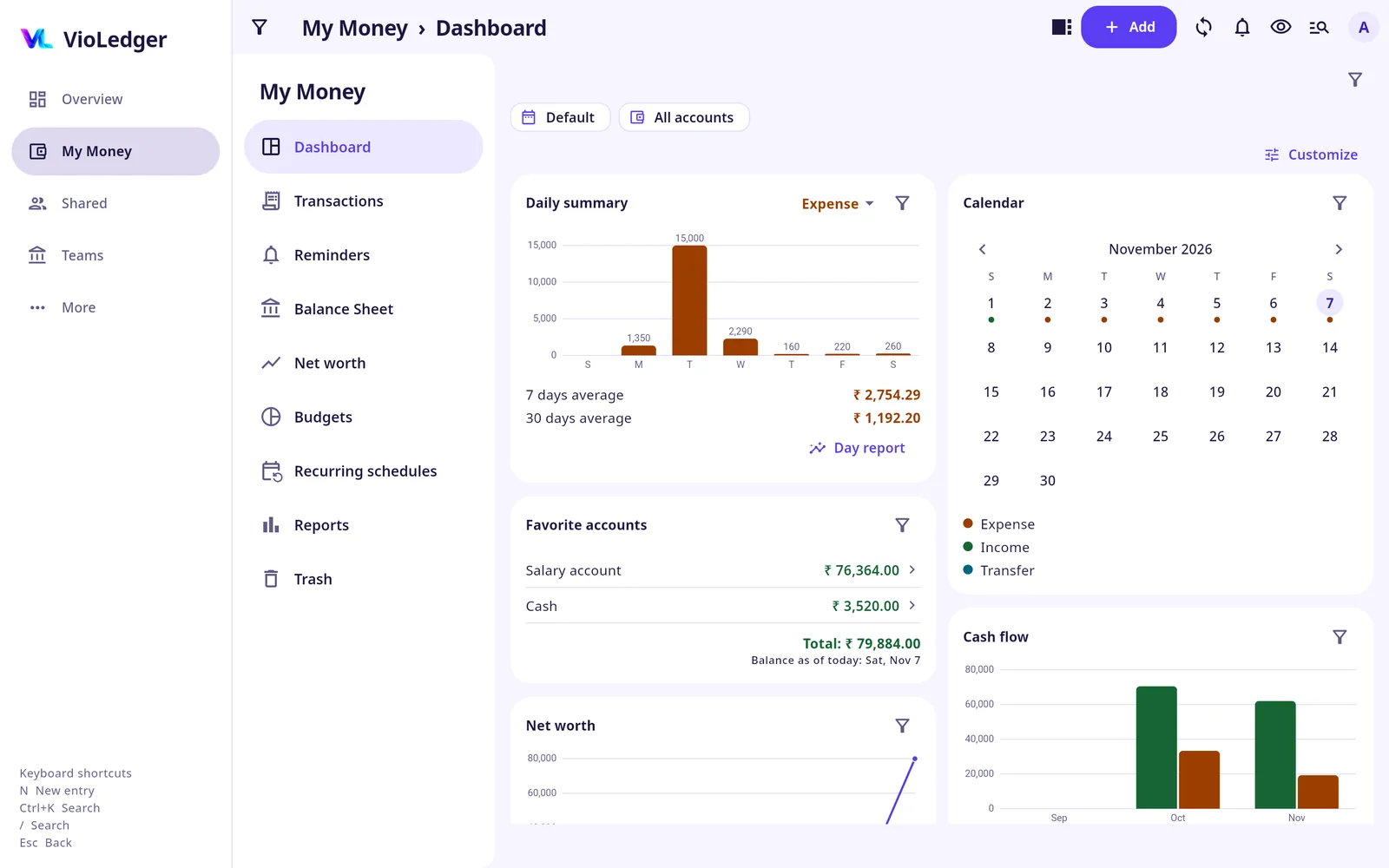
How do I hide my balances on screen?
Tap the eye icon in the top bar. Exports keep the real amounts.
Can I add my own categories?
On Pro and Max. Free has 15 built-in categories active, and Plus has all the built-in ones.
How many labels can I put on an entry?
Up to 8 labels per entry, each up to 32 characters.
Can I change how the app looks (theme, dark mode)?
Yes. Open “More”, then “Themes”. Choose “Light”, “Dark” or “System” (follows your phone), then pick a look for each. The VioLedger look, Classic blue and Soft cards are free for everyone, and you can preview any look before you apply it.
Plus adds light and dark tones (Aqua mist, Blush, Cloud, Deep violet, Ocean navy, Graphite and Black). Pro and Max add every colour palette, the Terminal look, decorative backgrounds and the Gradient hero and Compact list layouts.
Privacy and security
Who can see my data?
My Money: only you. Shared: the people in that group or person view. Teams: the members, according to their role. We do not sell your data.
How do I lock the app?
Turn on “App lock” in “More”, “Account & security”. It asks for your fingerprint or PIN. It is off by default. “App lock” is not available in the web app.
Can I stop screenshots?
Turn on “Block screenshots” in “More”. It stops screenshots and hides VioLedger in the recent apps list. It is off by default. A browser cannot block screenshots.
I am using a shared or public computer. Is that safe?
On the web sign-in screen, turn on “Shared or public computer”. The session stays in that browser tab, so closing it signs you out, and anything an earlier person left in the browser is cleared.
Do notifications show my amounts on the lock screen?
No. Phone alerts stay off until you allow them and never show amounts on the lock screen.
Can I choose which notices I get?
Yes. In “More”, “Notifications”, “Notice types”, each of the seven kinds has two switches: “In the app” and “Email”.
How do I delete my account and my data?
Open “More”, “Account & security”, tap “Delete account”, read the warning and confirm. It cannot be undone. You must have signed in within the last 10 minutes. If you hold an officer or Treasurer role in a Team, hand it over first. Cancel any Google Play subscription yourself first, because deleting the account does not cancel it.
What happens to shared entries after I delete my account?
Your account, personal accounts, transactions, labels, settings and receipt files are deleted. In shared groups and person ledgers the entries stay so other people's balances stay correct, and your name becomes "Former member". Backup copies are deleted automatically within 30 days.
Plans and payments
What plans are there and what do they cost?
Free, Plus (₹25 a month or ₹250 a year), Pro (₹50 or ₹500) and Max (₹99 or ₹990). Prices outside India are set by Google Play. Plans are subscriptions paid through Google Play.
Is there a free trial?
Yes. 3 months for everyone, and 6 months for the first 500 people. You choose Plus or Pro to try. Max and receipts are not part of the trial. After the trial you move to Free, and you get reminders 30, 7 and 1 day before.
What do I get on Free?
7 accounts, 250 transactions a month, 5 budgets, 3 shared groups, 2 Teams and basic reports.
What happens when I reach a limit?
You get a warning at 80% and the app stops adding new items at the limit. Nothing you already have is deleted. An entry saved on your phone while offline is never rejected later because of a limit.
What happens if I move to a smaller plan?
Nothing is deleted, and you can still see everything. A smaller plan only stops new items beyond its limits, and exports and history migration need Pro or Max.
Do the people I share with need a paid plan?
No. Joining a Shared group or a Team that someone else created is free on every plan. A Team follows the plan of the person who created it.
How do I cancel, or get a refund?
Cancel in Google Play. Google Play takes the payment and handles refunds.
I got a new phone. How do I get my plan back?
Sign in and tap “Restore purchase” on “More”, “My plan and usage”. We confirm the subscription with Google before the plan comes back.
Can I buy a plan in the web app?
Plans are bought in the VioLedger Android app. A plan bought there works in the web app too.
Sync, backup and devices
Is my data backed up?
Your data is saved on the server and synced. There is no backup file to restore: an export is a statement, not a backup. Entries still waiting to sync exist only on that phone until they are sent.
How do I know something has synced?
In “More”, “Data & sync”, “Sync status” shows what is waiting to be sent. “Synchronize” sends it now.
I got a new phone. How do I get my data back?
Sign in with the same account. Your books, Shared groups, Teams and plan live on the server and come back.
Can I use VioLedger on my phone and my laptop together?
Yes, with the same account. A change on one shows on the other after it syncs.
Can I export my data?
Yes. Open “More”, “Data & sync”, “Export your data”. Choose the book, period and type, then export as Excel, PDF or CSV. Exports are on Pro and Max.
Can I move my history from Splitwise?
Yes, on Pro or Max. You can bring in the history of a whole Splitwise group: the group administrator opens “Group settings”, then “Import a Splitwise group”. You can also bring one person's Splitwise CSV into a Shared person's history. The file is read on your phone and is never stored, and the app checks the closing balances before it imports anything.
Splitwise is the only app supported today. Imports from other apps will come soon.
Account and sign-in
I forgot my password.
Tap “Forgot password” on the sign-in screen. You do not need our help.
I can no longer open my email address.
Email support@violedger.com with the subject Account recovery and tell us your old email, a new email, and something that shows the account is yours, such as the names of your groups or Teams. A person checks it, so it takes longer than a normal reset. Your plan stays with the account.
Can I change my email address?
Yes, on Pro and Max, up to 3 times in a rolling year. Your plan and trial belong to your account, not your email.
Can I sign in with Google and with a password?
Yes. You can link Google to your account, and set a password for a verified email, from “More”, “Account & security”, “Login methods”.
Where do I find my profile and my UPI ID?
In “More”, “Account & security”: profile, UPI ID, login methods, app lock and delete account.
I deleted my account. What if I come back?
You can come back, but you will not get a second free trial. We keep one small hashed record (a scrambled form of your old email and your Google Play account, with plan and trial dates). It contains none of your entries.
Invitations and joining
Someone invited me. What do I do?
Open the invitation link, sign in or create an account, and accept. You then see your share. You can install the app or open it in a browser.
The invitation link does not work.
Invitation links last seven days, and the sender can cancel one. Ask the person to send you a new link. Someone who was not invited sees nothing of the group or Team.
I never received the invitation message.
Check your spam folder, or ask the sender to share the invitation link with you directly, for example in WhatsApp. The link works on its own.
Can a person join a Team without installing the app?
Yes. Open the invitation link in a browser and choose Open in your browser.
Can I remove someone from a Team or a group?
A Team's managers can remove a member from “Members”. The removed person loses access at once. If the person holds money for the team, you are warned first.
How many people can be in a group?
There is no limit on the number of people in a group on any plan.
The person signed up with a different email or number. How do I link them?
If you added someone by phone and they signed up with Google or an email, or you added them by email and they signed up with a mobile number, VioLedger cannot match them by itself. You can link their account yourself.
Open the person, open the side menu and tap “Link to a VioLedger account”. Search for their account by name, full email address or phone number, choose it and tap “Send link”. They find it under “More”, “Invitations for me”, review it and accept. Nothing is shared until they accept, and you can cancel the link before then. Everything you added with the same phone number or email (other shared books, groups and teams) moves together, and they accept once.
Example
- Situation
- You added Ravi by phone and entered 38 shared expenses. Ten days later he signs up with Google and sees an empty app.
- In VioLedger
- You open Ravi, tap “Link to a VioLedger account”, search "Ravi Gopal", choose his account and tap “Send link”.
- You see
- Ravi gets a notice, sees that Kunjahamed linked him to this person and that it holds 38 entries, and accepts. His account now has all the entries and balances, with the original dates.
The link is only offered for a person who has not joined, and it ends after seven days if it is not accepted. If you picked the wrong account, that person can tap "Not me" and nothing is shared.
Troubleshooting
My entry is not showing on my other device.
Open “More”, “Data & sync”, “Sync status”. If it says an entry is waiting, tap “Synchronize”. Entries are saved on the phone first, so a weak connection delays them but does not lose them.
The numbers in a report do not match what I expected.
Check the period at the top of the report and any label or account filter you set. Balances on screen can be hidden with the eye icon, but exports keep the real amounts.
I am over my plan limit and cannot add an entry.
Limits only stop new items. Nothing is deleted. Open “More”, “My plan and usage” to see what is used and what the next plan adds.
A team entry is stuck in “Approvals”.
It waits until someone who is allowed to approve entries (by default the Treasurer) taps “Approve” or “Reject”. Ask them, or ask the Administrator to give you that role.
I cannot edit an old entry in a Team.
The team's books may be closed up to a date. Ask the Administrator.
I cannot approve my own entry.
Nobody approves their own entry unless the team allows it. Ask another approver.
I paid by UPI but the balance has not changed.
VioLedger cannot see whether a UPI payment went through. After paying, return to the app and tap “I have paid, record it”.
I cannot see balances in a Team.
The Administrator can switch off balances for members in “Roles and access”. Ask them to show you, or give you a role with “See balances”.
I got a notification email I did not want.
In “More”, “Notifications”, “Notice types”, switch off “Email” for that kind. Approvals and roles, team payments and dues, and payment reminders send email by default.
How do I report a bug or ask for a feature?
Use the form on the Support page or email support@violedger.com. Please do not send passwords, one-time codes, or card or bank account numbers.
No questions match your search.
Can’t find your answer? Write to support@violedger.com.