
Move a Shared person from CSV
Bring a two-person Splitwise export or a VioLedger Shared person CSV. Check the person and closing balance, then confirm. Duplicate protection and import history keep the move traceable.
From your morning coffee to your next group trip. Track your money, share expenses and manage team books in one calm, connected space.
Prefer the APK file? Download it here. See what VioLedger does. iPhone and iPad: coming soon.
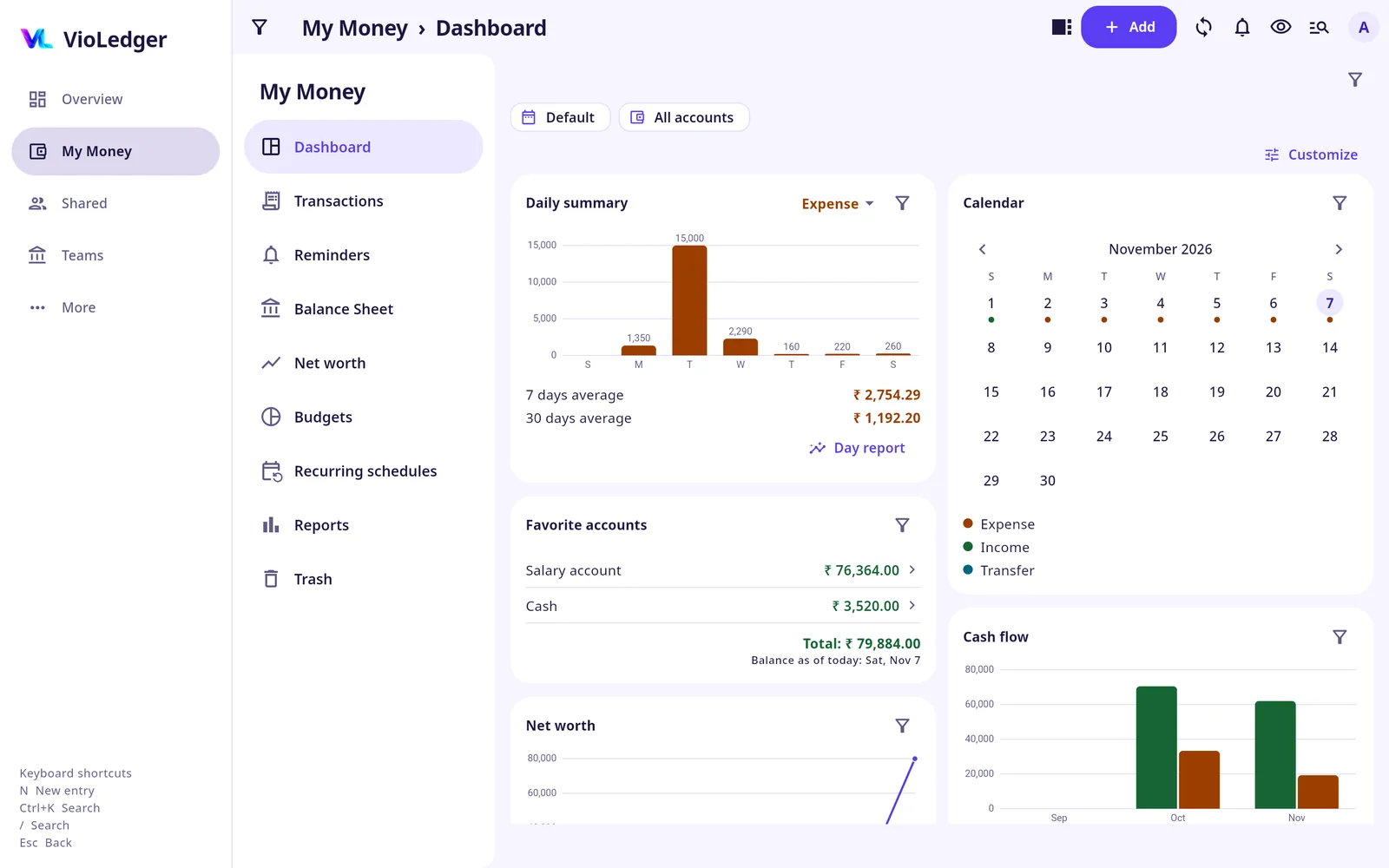
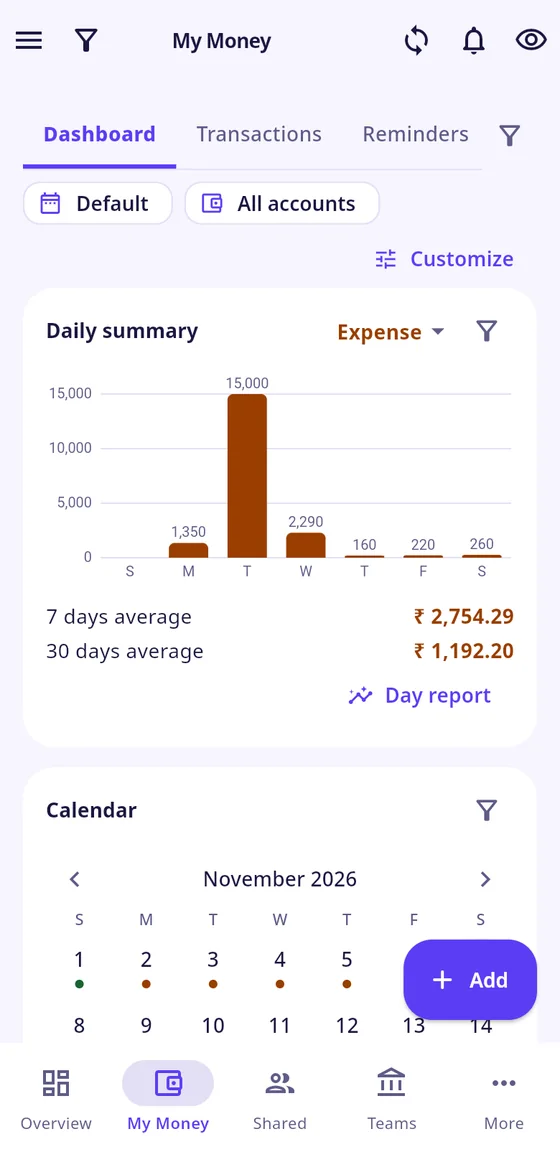
VioLedger on the web and on Android · Sample data
Sign in once and your books are on both. On a computer you get a menu on the left, tables and wide charts. On a phone you get the same screens, made for one hand. These are real screens with sample data.
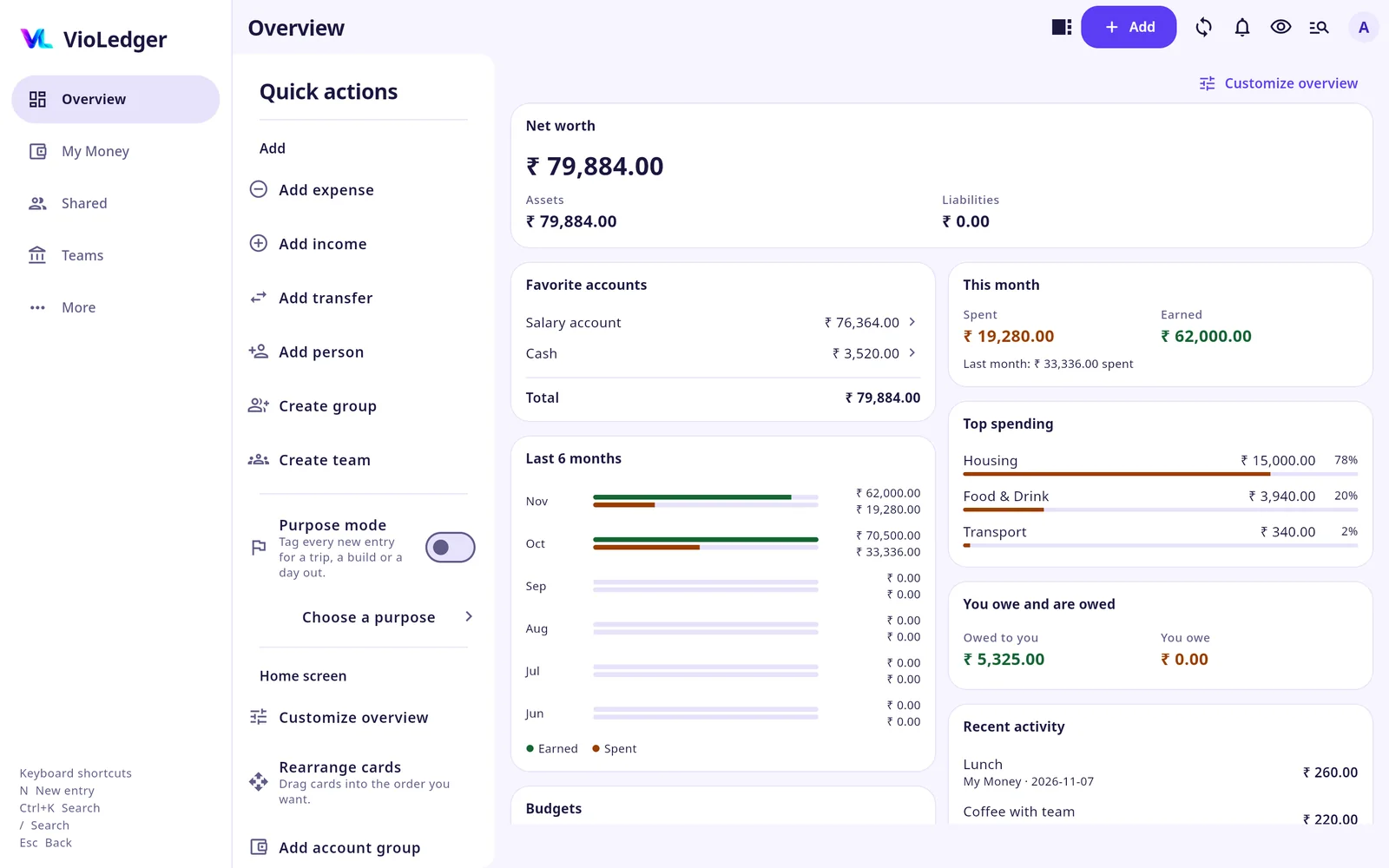
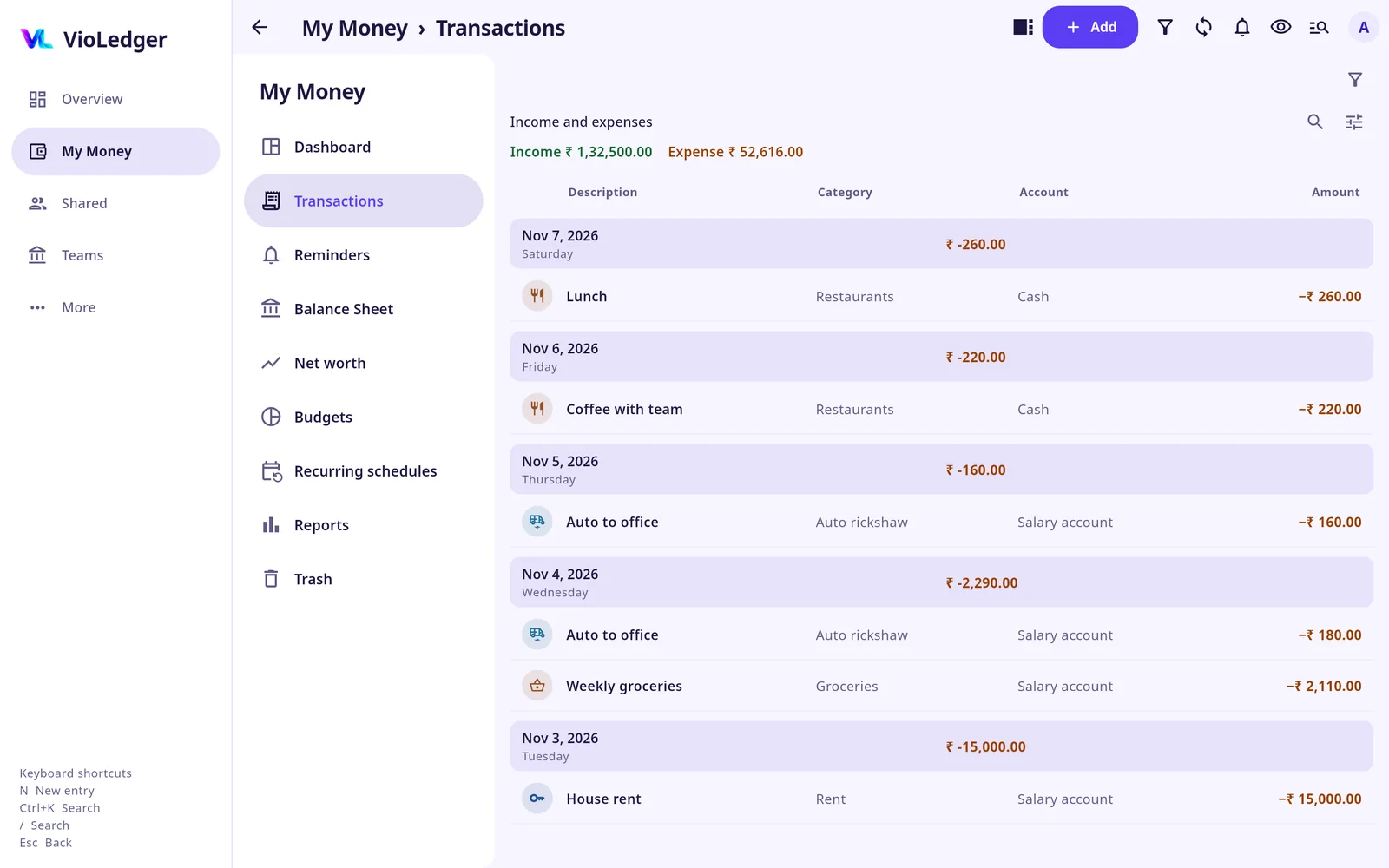
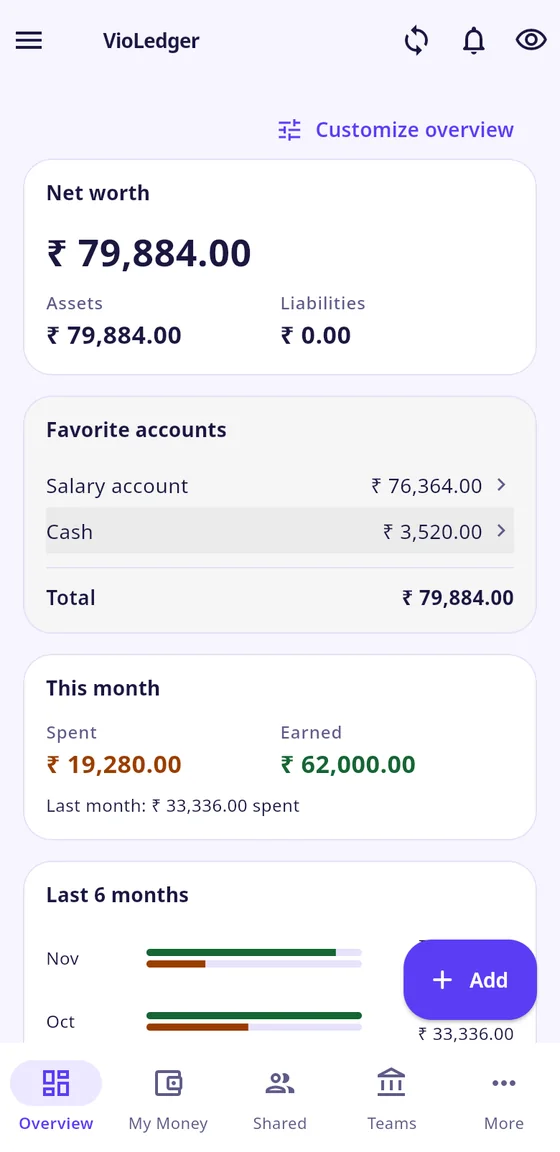
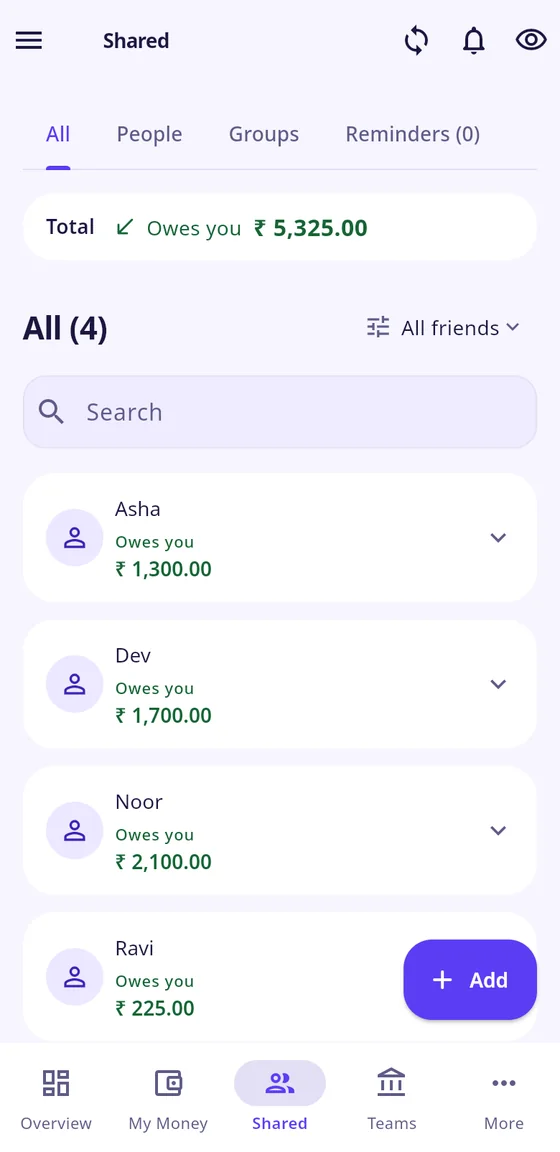
Keep your own spending, shared balances and team funds together, with a clear place for each.
Income, expenses, transfers and credit cards. Add categories, labels and schedules, then see exactly where it went.
Meet My Money 02 / SHAREDFriends, flatmates or a whole trip. Choose who paid, split it your way, send a reminder and settle up.
Explore Shared 03 / TEAMSManage clubs, committees and small teams with contributions, approvals, roles and a clear record of changes.
Discover TeamsSchedule once, daily, weekly, monthly or annually. Choose automatic posting or review first.
Label a vehicle, trip or home project. Combine account, category and label filters to see its full cost.
Link Shared entries and settlements to My Money. Review the personal entry without typing it all again.
Reusable accounts, nested categories, tags and funds. Keep them available only in the sections you choose.
Light and dark palettes, abstract backgrounds, local number formats and your choice of currency symbols.
Save entries offline and sync when you reconnect. Use English, Malayalam or Hindi.
For your club, community, committee or small team. Keep the funds organised and the right people involved.
Invite members, assign treasurer and other roles, and choose who sees or changes what. The creator keeps administrator controls.
Review pending income, expenses and transfers before they reach the books. Protect completed periods and keep a record of changes.
Track member contributions, reimbursements, assets and team reports. Switch between teams or get an overview of them all.
Bring a two-person Splitwise export or a VioLedger Shared person CSV. Check the person and closing balance, then confirm. Duplicate protection and import history keep the move traceable.
Export My Money, Shared and Team records with period filters. Pro and Max include all three formats. See fictional sample files before trying an export.
A notification inbox for relevant changes by other people, optional email alerts and invitation codes you can use after installing the app.
A free place to start, with more room when you need it. Planned launch prices are below. Billing is not live during closed testing.
₹0
Free, always
7 accounts · 250 entries/month
3 Shared groups · 2 Teams
₹25 a month
or ₹250 a year
15 accounts · 750 entries/month
CSV import · All palettes
₹50 a month
or ₹500 a year
Unlimited books · Custom categories
All reports · CSV, Excel and PDF
Shared CSV migration · Background styles
₹99 a month
or ₹990 a year
Everything in Pro
Receipt attachments
Planned prices. New people get a free trial of Plus or Pro: 3 months, or 6 months for the first 500. Ads are optional and off unless you turn them on.
Add a friend who is not on VioLedger yet and invite them by WhatsApp, email or text message.
Ads only if you choose. VioLedger shows no ads unless you switch them on yourself in the app, and we never sell your information. How ads and donations will work.
Private by default. Your personal records are visible only to you. Shared records are visible only to the people in them.
You stay in control. You can delete your account inside the app at any time. Learn how.
OriginVio Technologies builds clear, dependable software for everyday money and business.
VioLedger is our first product for individuals and small teams: a ledger that treats your own money, the money you share with others and the money a team keeps as one honest record. We are building it with a small group of testers and checking every change before it reaches your phone.
Contact: support@violedger.com
Yes. The Free plan has 7 accounts, 250 entries a month, 3 Shared groups and 2 Teams. Plus, Pro and Max add more room and features. Paid plans are not on sale yet during closed testing, and the plans page lists every limit.
Your My Money records are visible only to you. Shared records are visible only to the people in that group or person. You can delete your account inside the app at any time, and we never sell your information.
The Android app does: you can save entries without internet and they sync when you are back online. The web app is meant to be used with an internet connection.
Yes. An invitation opens in a browser, so a friend can sign in on the web. They can install the Android app later and keep the same account and entries.
On Android through Google Play, and in any modern browser on a computer or a phone at app.violedger.com. An iPhone and iPad app is coming soon.
Questions about VioLedger, testing or your account? Write to us and we will reply by email.
You can also write directly to support@violedger.com. For bugs, ideas and lost-email recovery, see Support.